How to Play Sorting History
Sorting History is a timeline trivia game. You see historical events one at a time and place them in chronological order on a growing timeline. It sounds simple — until you have to decide whether the Great Fire of London came before or after the Salem Witch Trials.
How It Works
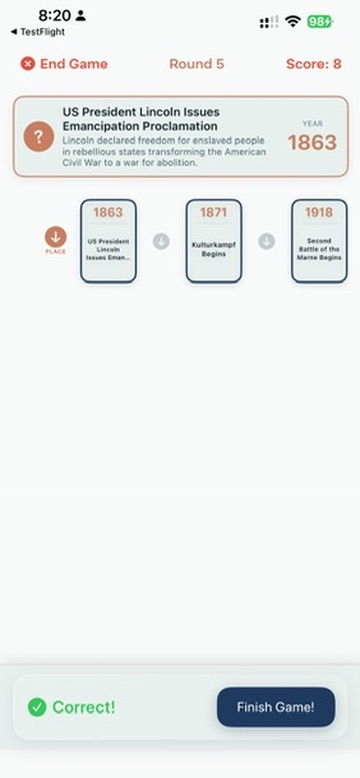
Every game starts with an empty timeline. Each round, an event card appears showing the event's title and a short description. Your job is to place it in the correct position on the timeline.
- Read the event card. You'll see a title like "First Moon Landing" and a short description of what happened.
- Look at the timeline. Events you've already placed are shown in order. Each one displays its year.
- Place the new event. Tap where you think it belongs — before, after, or between existing events.
- Get feedback. The game reveals the event's actual year and tells you if your placement was correct.
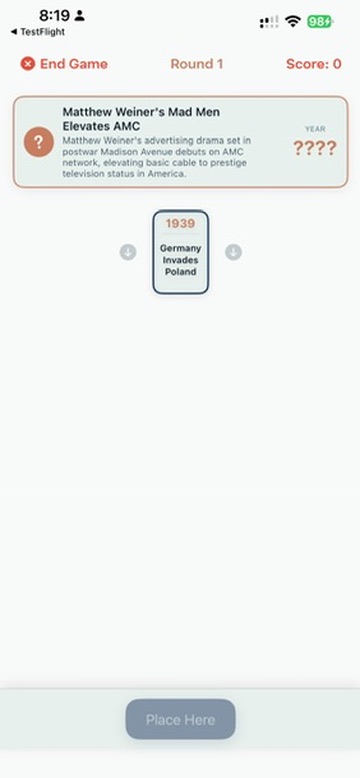
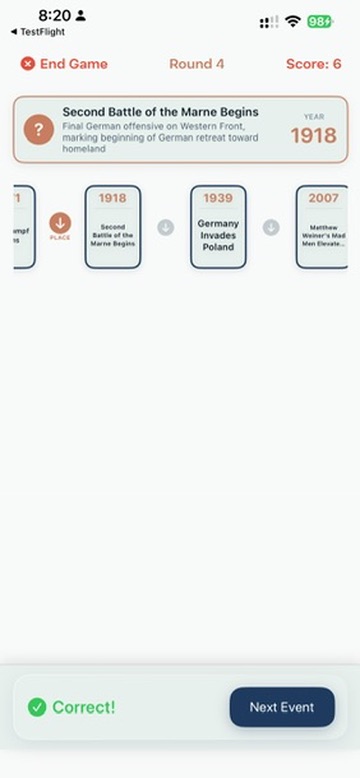
Correct placements earn points. In harder modes, incorrect placements lose points. After all rounds, you see your final score, accuracy percentage, and a letter grade.
Setting Up a Game
1. Choose Your Categories
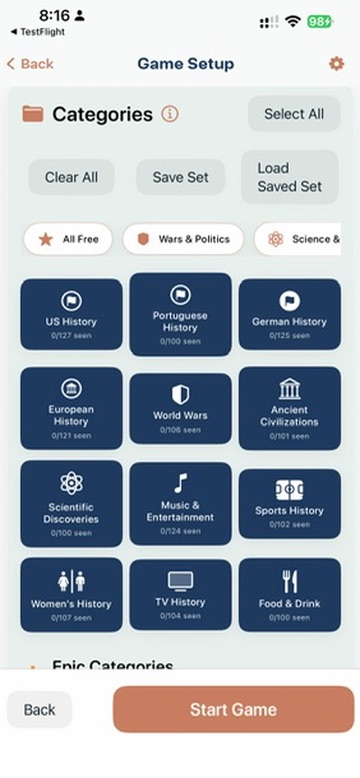
Sorting History has 19 categories, each containing 100+ researched historical events. You can pick one category for a focused game, or mix several for variety. Categories include:
- US History
- World Wars
- Scientific Discoveries
- Music & Entertainment
- Sports History
- Ancient Civilizations
- European History
- TV History
There are also preset bundles (like "Wars & Politics" or "Pop Culture") for quick setup.
Category difficulty varies. Categories with tight timeframes are naturally harder. World Wars, for example, packs many events into a few decades — placing events in the right order requires precise knowledge. Categories that span thousands of years (like Ancient Civilizations) are more forgiving because the gaps between events are larger.
2. Pick a Scoring Mode
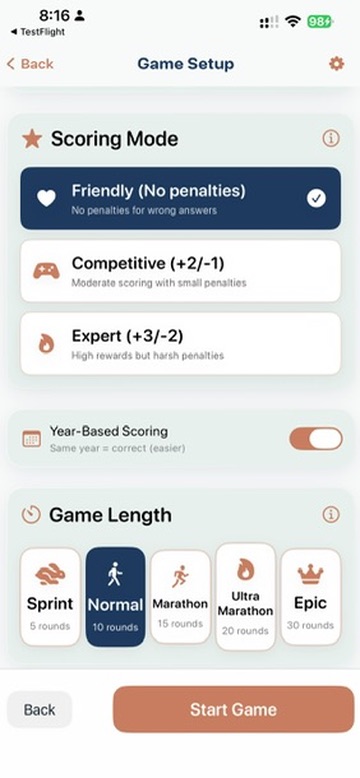
| Mode | Correct | Incorrect | Best For |
|---|---|---|---|
| Friendly | +2 points | 0 points | Learning, casual play, families |
| Competitive | +2 points | -1 point | Balanced challenge |
| Expert | +3 points | -2 points | High stakes, experienced players |
Friendly mode is great for your first game. No penalty for mistakes — just learning and fun.
Year-Based Scoring
Below the scoring modes, you'll find the Year-Based Scoring toggle. When it's ON (the default), placing an event in the same year as its neighbor counts as correct — you just need to get the right year, not the exact month order.
Turn it OFF for a harder challenge. With Year-Based Scoring off, events from the same year must be placed in the correct month order. The months aren't shown on the timeline cards, so you'll need to know your history down to the season.
3. Choose Game Length
| Length | Rounds | Typical Time |
|---|---|---|
| Sprint | 5 | Under 3 minutes |
| Normal | 10 | About 5 minutes |
| Marathon | 15 | About 8 minutes |
| Ultra Marathon | 20 | About 12 minutes |
| Epic | 30 | About 18 minutes |
Placement Tips
- Use context clues. Event descriptions often mention technologies, places, or people that hint at the era.
- Anchor on events you know. If you're confident about one event's date, use it as a reference point for others.
- Think in centuries first. Before placing precisely, estimate the century. "Is this ancient, medieval, or modern?" narrows your options fast.
- Don't rush. There's no timer. Take your time to read the description and think it through.
After the Game
When all rounds are complete, the results screen shows:
- Your score — total points earned
- Accuracy — percentage of events placed correctly
- Letter grade — from S+ (highest) down to F
- Category played and time taken
You can also save mid-game and resume later if you need to step away.
More Guides
- How to Play the Daily Challenge — daily 5-event puzzle
- How to Play History Pinpoint — guess the exact year
- How to Play Solo — single-player setup
- How to Play Pass & Play — one device, multiple teams
- How to Play Network Play — separate devices over WiFi
- Tips, Strategy, and Scoring
Ready to Sort History?
Sorting History is now available on the App Store with 19 categories, 2,000+ events, and a free tier. Be the first to know.
We'll email you when we launch and when new trivia categories drop. Unsubscribe anytime.