How to Play Network Play
Network Play lets each team play on their own device, connected over the same WiFi network. One person hosts, everyone else joins. No internet required.
What You Need
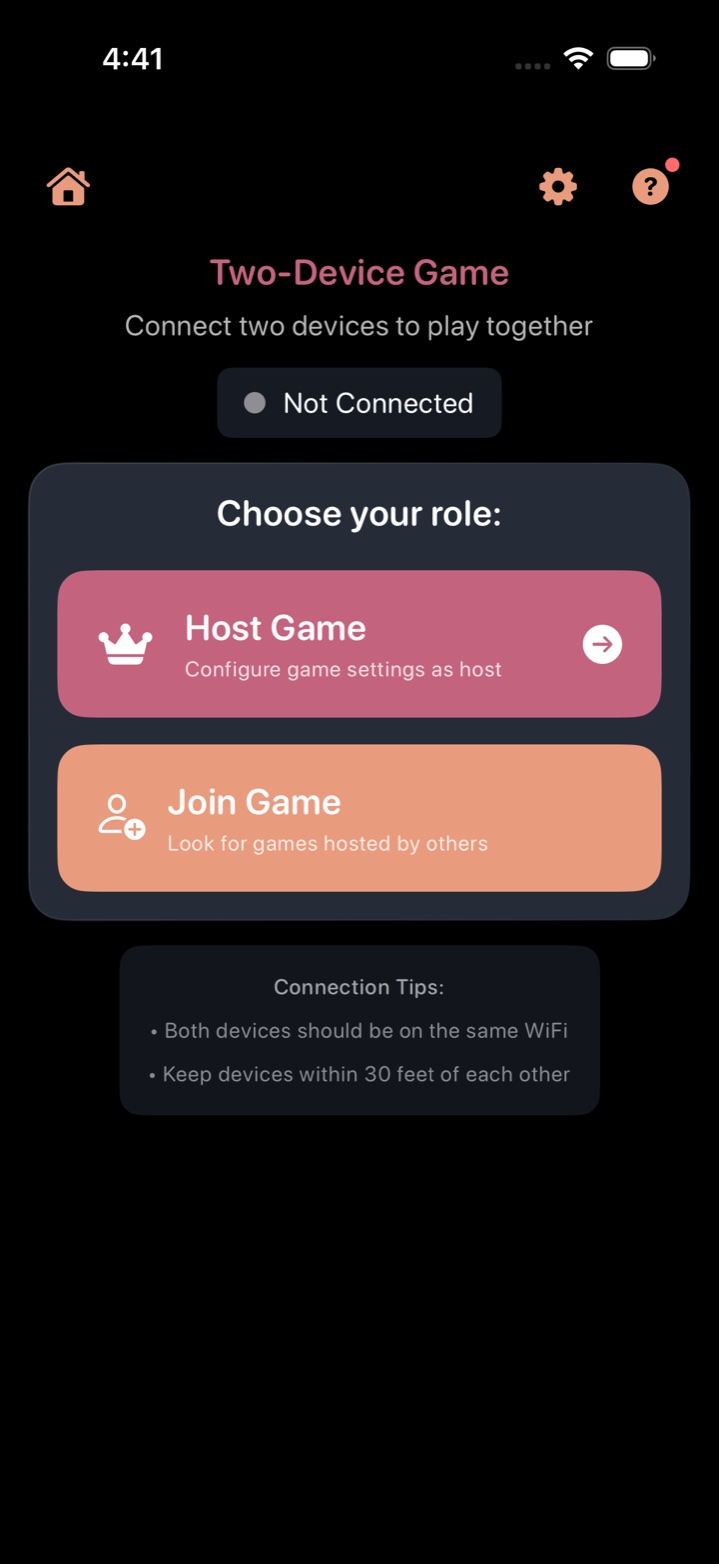
- Two iOS devices (iPhones, iPads, or a mix) — the in-app banner reads "Two-Device Game" to remind players this is a local two-host link, not online matchmaking
- Sorting History installed on every device
- Same WiFi network — all devices must be connected to the same WiFi. No internet is needed, just a shared local network.
For the Host
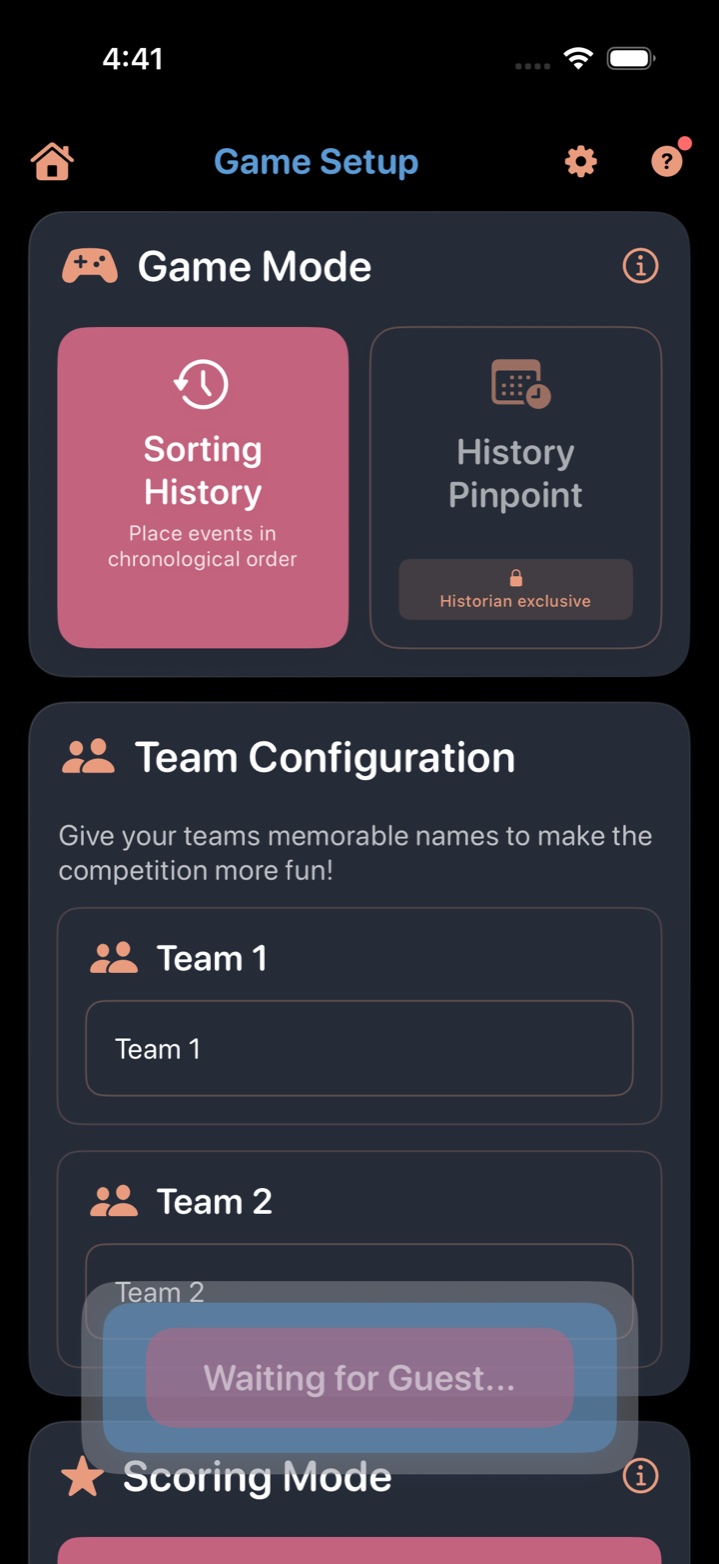
The host creates the game and controls the settings. Any device can be the host.
- Tap Play on the main menu.
- Select Sorting History as the game mode.
- Choose Network Play and tap Host Game.
- Set up teams. Give the 2 teams custom names.
- Pick categories, scoring mode, and game length — same options as Solo and Pass & Play.
- Wait for guests to connect. The host screen shows which devices have joined.
- Tap Start Game once everyone is connected.
For Guests
- Make sure you're on the same WiFi network as the host.
- Tap Play on the main menu.
- Select Sorting History as the game mode.
- Choose Network Play and tap Join Game.
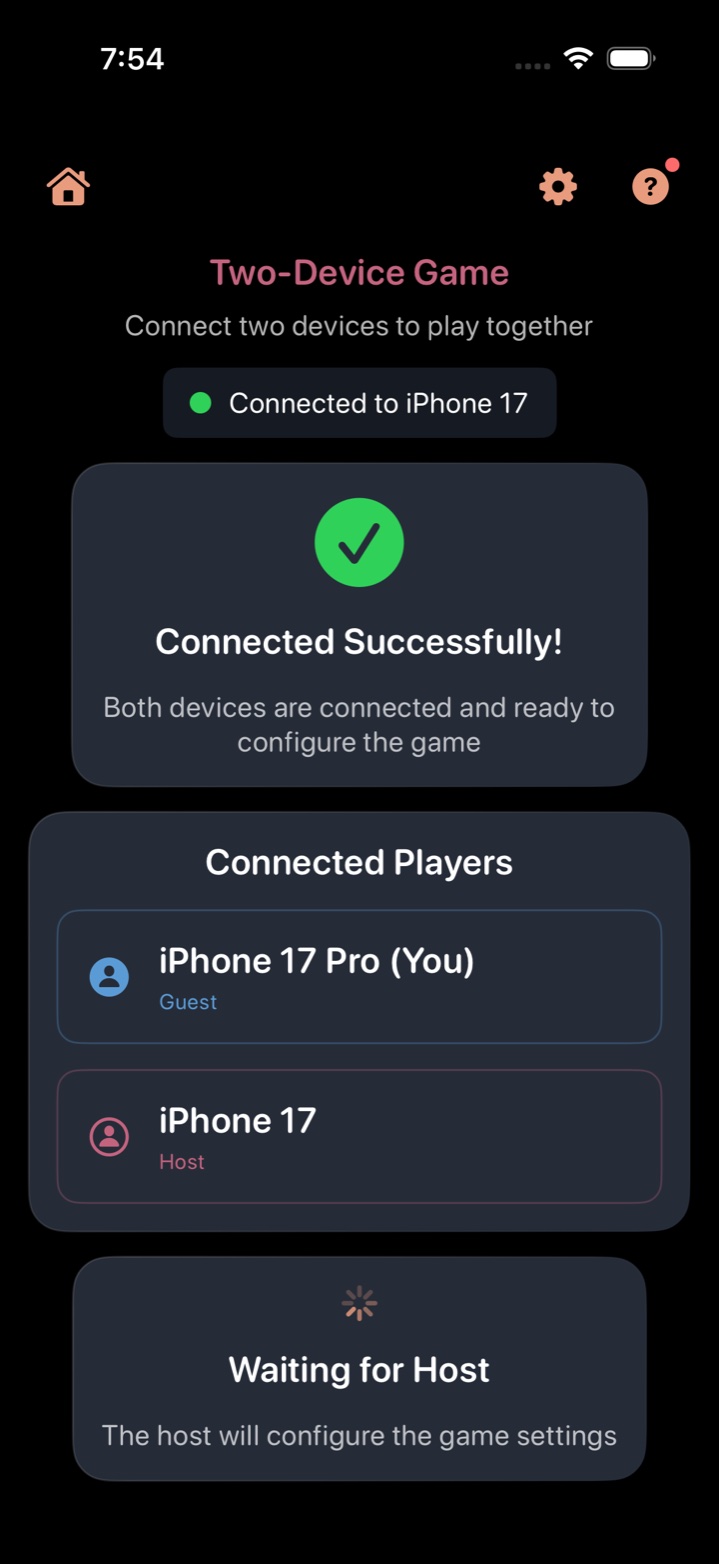
- Wait for the host. You'll see "Waiting for host..." until the game begins.
During the Game
- Teams take turns in a shared rotation. When it's your team's turn, your device becomes active.
- Place your event on the timeline, just like Solo or Pass & Play.
- Results are shared. Each placement is broadcast to all connected devices so everyone sees the outcome.
- Disconnections are handled. If a device drops off the network, the game pauses until it reconnects.
Network Play vs. Pass & Play
| Pass & Play | Network Play | |
|---|---|---|
| Devices | 1 (shared) | 1 per team |
| How teams play | Take turns, pass the device | Each team on their own device |
| Connection | None (fully offline) | Same WiFi (no internet needed) |
| Best for | Families, travel, quick setup | Parties, competitive groups, larger gatherings |
Troubleshooting
- "Can't find host" — Make sure both devices are on the exact same WiFi network (not one on WiFi and one on cellular). Try toggling WiFi off and on.
- Slow connection — Network Play uses local WiFi, so distance from the router matters. Stay in the same room for best results.
- Device disconnected mid-game — The game pauses. Reconnect to WiFi and the game should resume. If the device can't reconnect, the game continues without that team.
More Guides
- How to Play Sorting History — the core timeline game
- How to Play the Daily Challenge — daily 5-event puzzle
- How to Play History Pinpoint — guess the exact year
- How to Play Solo — single-player setup
- How to Play Pass & Play — one device, multiple teams
- Tips, Strategy, and Scoring
Ready to Play Together?
Sorting History is now available on the App Store with Network Play, 19 categories, and a free tier. Be the first to know.
We'll email you when we launch and when new trivia categories drop. Unsubscribe anytime.